Mobile + geofence
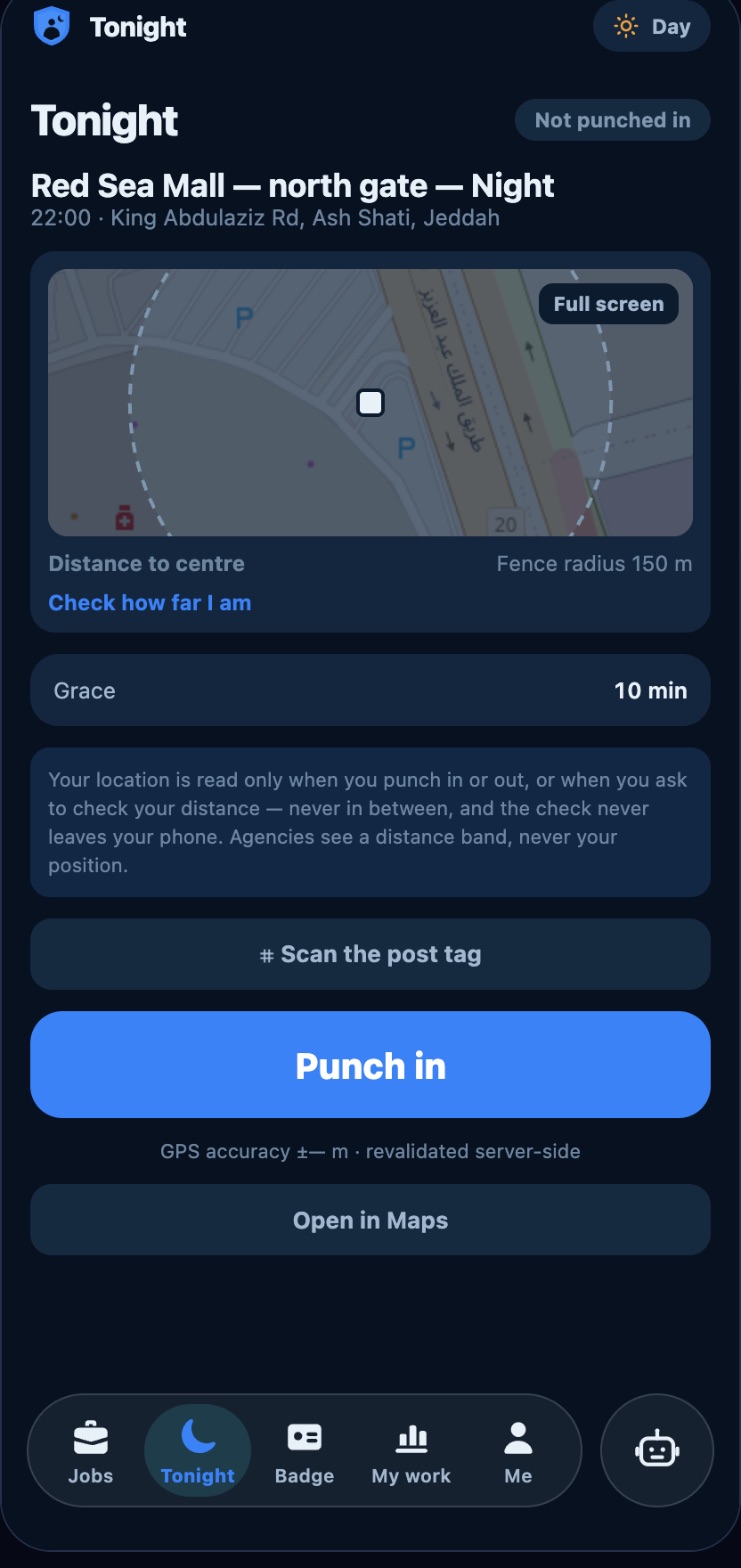
A fence around every site (e.g. 150 m) with grace minutes. The location is read only at the moment of the punch and checked again on the server.
Punch by GPS fence, NFC, QR or the POS till, then approve and pay.
We already run attendance in two live products: the Nawbah guard app and the HundteC POS & ERP. We combine those parts into the attendance system your company needs: staff punch in with their phone inside a GPS fence, by tapping an NFC tag or scanning a QR code at the post, or at the POS till; you see it live, approve it, print the attendance sheets and pay.
Choose one per site, or combine them. No signal? The punch is kept on the phone and sent later; without GPS it is accepted and flagged for review.
A fence around every site (e.g. 150 m) with grace minutes. The location is read only at the moment of the punch and checked again on the server.
A small sticker at the post. The employee holds the phone on it. Android and recent iPhones read it even without opening the app.
Printed by you or your client and fixed at the entrance. Scanning it proves the person stood at that exact post.
Staff clock in and out with their PIN on the HundteC POS at the counter, or from “My hours” on their phone where the branch allows it.
Every step is a screen that already exists in our products, so nothing is retyped between them.
Taken from our working systems with demo data.
Tonight's post on the map with its fence, the grace time, the post tag and one big button.
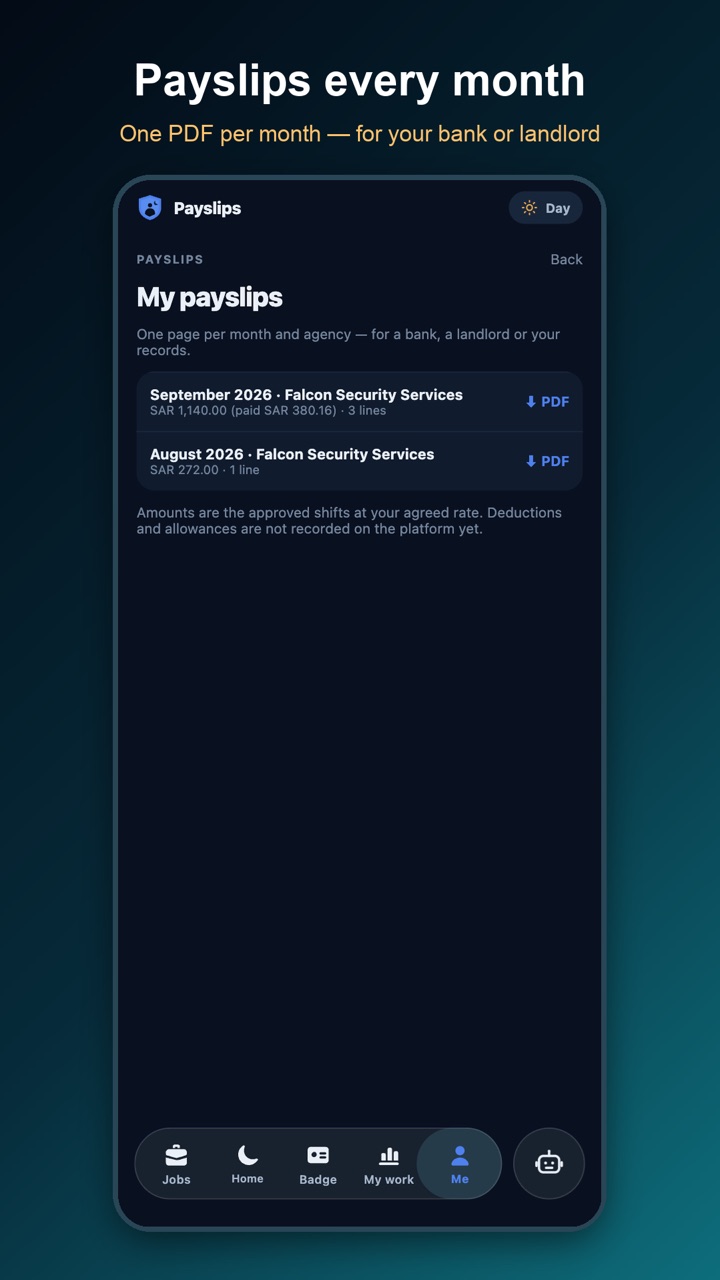
When the month is paid, the payslip PDF appears on the employee's phone.
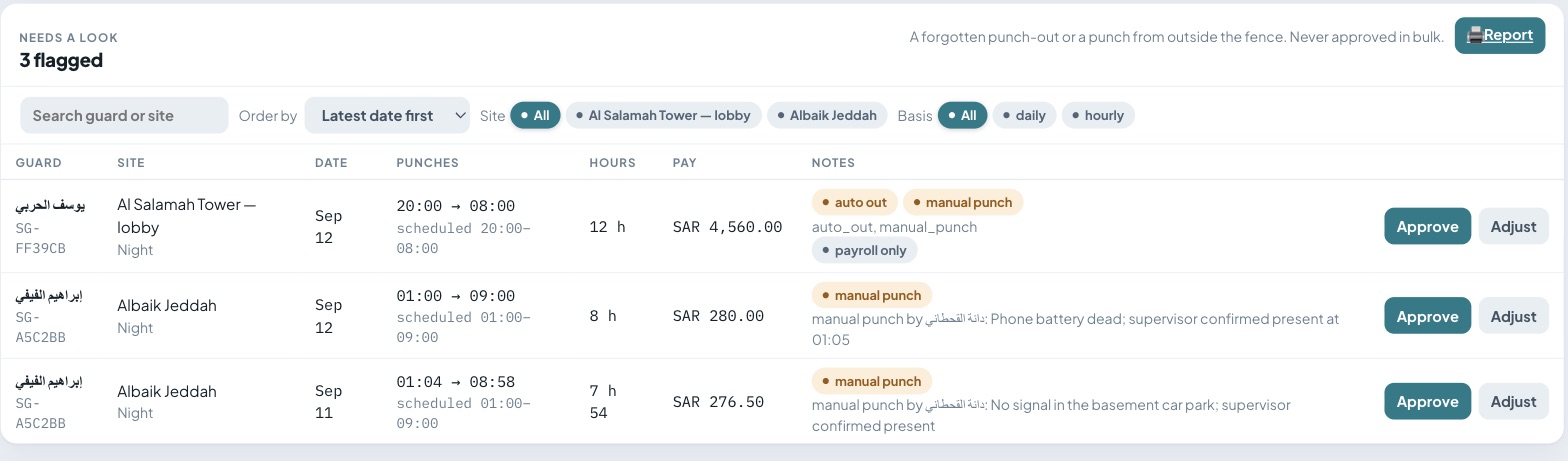
Anything unusual (a forgotten punch-out, or a punch recorded by a supervisor because the phone was dead) waits with its reason for a person to approve or adjust.
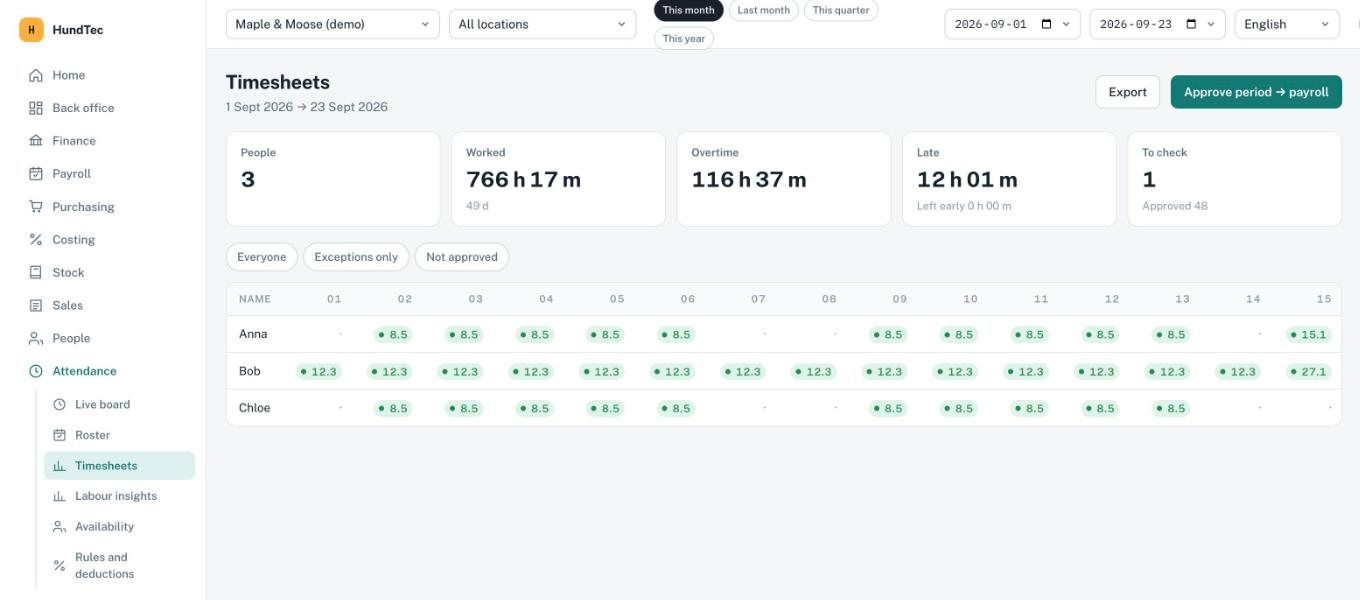
Hours per person per day, overtime, late and early leaving; filter to the exceptions, export it, then Approve period → payroll.
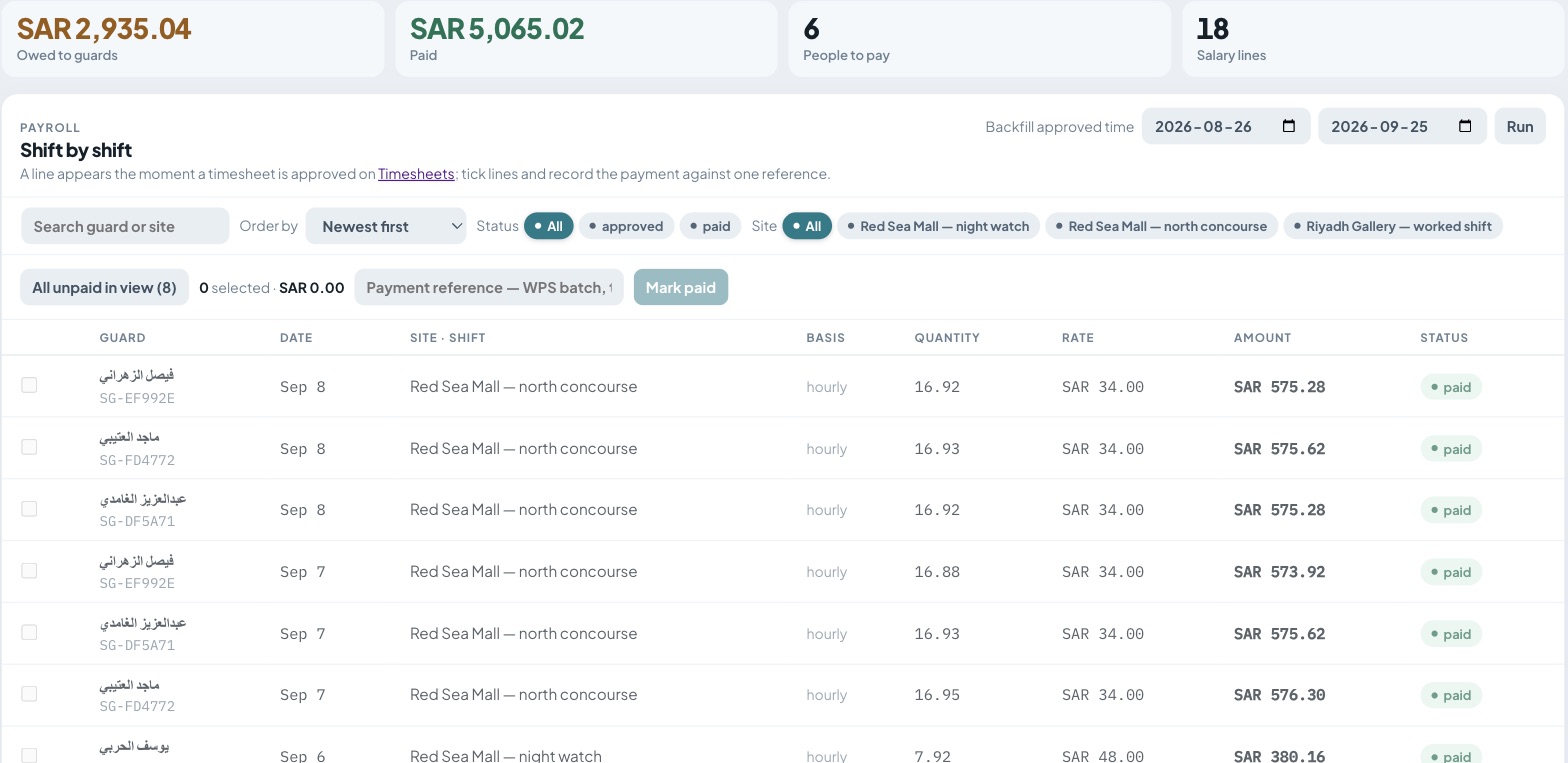
Each approved shift becomes a salary line: hours × rate. Tick the lines and record the payment against one reference (for example a WPS batch).
Many sites, night shifts, agencies and clients: the Nawbah app and web console: roster, geofence, NFC/QR, timesheets, payroll and payslips.
Staff punch at the HundteC POS till; the HundteC ERP holds the roster, timesheets, rules and deductions and runs payroll.
Offices, factories, clinics: we combine the punch methods, the approval steps and the payroll export your company needs, and connect it to your existing HR or payroll through API Builder.
Tell us how your people work (sites, shifts, how you pay) and we will show you the system with your own sites and rules.